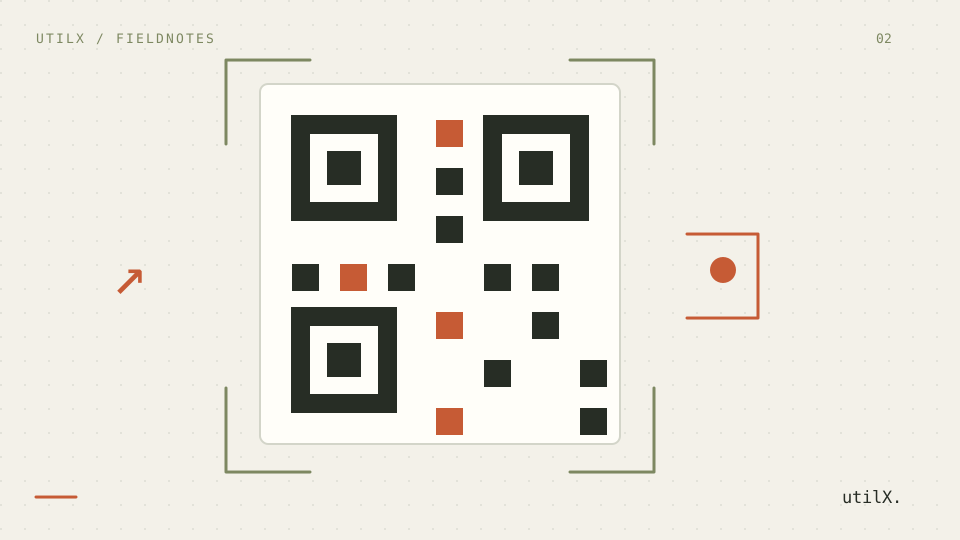
A QR code is a compact way to encode a destination, not evidence that the destination is trustworthy, readable, or accessible. A camera can recognize a dense square that a person cannot inspect before opening. That gap matters when a code appears on a poster, packaging, or a screen. This guide uses one test URL and a repeatable checklist: make the code scannable, show its destination in text, and treat the resulting link as untrusted until it has been checked.
The problem
QR Code is standardized by ISO/IEC 18004, but a conforming symbol can still be a poor publication choice. A generator may encode a URL correctly while a later export removes the pale border, shrinks individual modules, uses similar foreground and background colors, or substitutes a redirect that people cannot see. Error correction helps restore a damaged symbol; it does not make an arbitrary design, an unsafe URL, or tiny print reliable. A code also gives a camera an instruction with little context. Someone using a screen reader, a device without a camera, a low-quality camera, or a printed copy at distance needs an equivalent visible path.
Security begins before generation. The encoded string can contain a deceptive host, an unexpected path, an opaque redirect, a query with private data, or a scheme that a browser handles differently. A code should not be used to hide a destination that would be concerning when written out. OWASP guidance on URL validation is useful here: parse and allowlist a destination according to the actual use case rather than accepting a string because it looks like a URL. This is especially important for sign-in, payment, download, support, and internal-service codes.
Worked example
Suppose a museum wants a printed QR code that opens https://example.org/visit/tickets. This is a deliberately fictional public URL. The page owner first writes that exact URL beneath the code, including the domain, and adds a short label: “Tickets and opening times.” The printed text gives people a choice: they can type it, inspect it, or ask another person to open it. It also provides a fallback if a camera cannot scan the square.
Generate the code with a white background and near-black modules. Keep a quiet zone of four modules around every edge; the quiet zone is empty background, not a decorative frame. Export a large master image or vector, then make a print test at the actual planned size. Measure the square itself, not merely the surrounding card. For this example, test from the expected viewing distance and with two current phones plus a tablet camera. Scan before adding logo artwork, then scan again after every layout or color change.
The person responsible for publication should write down what was tested: destination, date, generator settings, quiet-zone width, error-correction level, square size, print material, and devices. That record does not certify all cameras. It makes a later failure easier to reproduce and prevents a silent replacement of the URL.
Procedure
Start with the destination, not the graphic. Copy the final HTTPS URL from the controlled publication system and read its hostname, path, query, and fragment. Remove tracking or personal values that are not needed. If the destination redirects, inspect the complete redirect chain in a suitable test environment and decide whether a direct URL is possible. Do not encode credentials, recovery tokens, private document locations, or a URL that only works for an untested audience. A QR image is easily photographed and shared.
Choose an encoding size that fits the data without adding unnecessary content. More data normally means more modules and smaller cells at a fixed physical size. Select the error-correction level deliberately. A higher level may help when a printed code is partly obscured, but it increases density; it is not a reason to cover the centre with a logo. Preserve the four-module quiet zone specified in the QR Code symbol guidance. Avoid borders, patterns, photographs, or neighboring text that visually invade it.
Use foreground and background colors with strong contrast. WCAG contrast guidance is written for text, while QR scanning is an imaging task, so it is not a complete scanner specification. It is still a useful design floor: dark modules on a light, solid background are easier for both people and cameras to distinguish than pastel-on-pastel or reversed, patterned treatments. Do not rely on color alone to convey what the code does. Add a human-readable label and the full destination as selectable text on a web page or legible text in print.
Export without blur or lossy resampling. Raster modules should remain square and aligned to pixels; vector output is often easier to scale for print. Place the code at its final size, then test the actual export rather than the generator preview. Scan at normal angle, with slight tilt, in the lighting expected at use, and at the intended distance. Test at least two device models when practical, because autofocus, camera quality, and software differ. Record a failure instead of compensating with an undocumented guess.
Technical explanation
A QR symbol has structural patterns that help a scanner locate, orient, sample, and decode its modules. The quiet zone separates those patterns from surrounding visual noise. When it is cropped or filled with a background image, a camera may read the boundary incorrectly. Module size matters because a distant camera has limited pixels per cell. Printing a very dense code at a small size produces a visually sharp square that still lacks enough camera detail to decode. Distance, motion, glare, paper texture, and autofocus add uncertainty.
Error correction stores redundant information. It can improve recovery from a scratch or a small obstruction, but the amount of recovery depends on the symbol, damage position, and decoder. It does not validate the URL after decoding. It does not protect a person from a fraudulent code pasted over a legitimate sign. It does not tell a visitor whether the destination has changed since printing. Design and operational controls remain necessary: place the visible URL nearby, control who can replace printed material, and review codes after campaigns or destination changes.
Accessibility has two sides. The image itself needs useful alternative text when it conveys an action; for example, “QR code for tickets; use https://example.org/visit/tickets.” The destination and purpose must also exist outside the image. On a page, a normal link is the primary interactive control and the QR code can be supplementary. In print, the full URL, a descriptive label, and an alternative contact or navigation instruction prevent the camera from becoming the only route. A person should not have to scan an unexplained code to learn where it leads.
Common failures
The most common failure is treating a generator preview as a test. It may be rendered at a large, crisp size with no surrounding layout. The production version can be compressed by a messaging app, printed with insufficient margin, placed over an image, or reduced below a usable module size. A second failure is testing only the designer's phone held close to the screen. That does not represent a visitor at a poster, in sunlight, or using an older camera. Test the exact output and report the tested conditions.
Another failure is hiding the URL to make the design feel cleaner. A shortened or redirecting host can make a legitimate code hard to assess and a malicious substitute hard to notice. Do not claim that a QR code is safe merely because it uses HTTPS or because it was generated locally. HTTPS protects a connection to the host a browser reaches; it does not establish that the intended person placed the code, that the path is appropriate, or that a redirect is acceptable.
Avoid treating WCAG contrast ratios as a guaranteed scan result. Contrast is one input among module geometry, camera software, glare, focus, and print quality. Conversely, a code that scans for one phone may still be inaccessible if there is no visible destination or alternative. Rework the content and layout when a fallback is missing; do not solve that problem with a larger logo.
Considerations
Consider the environment before selecting a size. A QR code on a handout can be tested at arm's length; one on a wall has to work from farther away. Calculate and then verify rather than relying on a universal minimum dimension. Give the code enough surrounding space, avoid folds and curved surfaces, and account for glare from laminating or glossy screens. If artwork is necessary, keep it outside the quiet zone and repeat the device tests after it is added.
For changing destinations, prefer a stable, controlled URL that remains meaningful to readers. Document redirect ownership, expiry, and review. A printed code can outlive a campaign; plan what happens when the page is removed or transferred.
For internal or authenticated content, a QR code is not an authorization mechanism. Require the normal sign-in and permission checks after navigation, and make sure the visible fallback does not disclose a secret location. For public notices, review whether the printed domain is recognisable and whether the code could be replaced without being noticed. Physical placement, tamper checks, and clear branding can reduce some risks but cannot eliminate them.
Limitations
This guide cannot guarantee that a symbol will scan on every camera, lighting condition, browser, assistive technology, printer, or future device. It does not certify compliance with ISO/IEC 18004, WCAG, security policy, payment requirements, or a particular organization’s process. It also cannot determine whether a destination remains appropriate after publication.
Testing two or more devices reduces uncertainty for the tested output; it does not prove universal compatibility. A visible URL reduces ambiguity; it does not make a hostile or compromised website safe. Error correction can tolerate some symbol damage; it does not repair a misleading destination or a code with a missing quiet zone. Stop distribution and investigate whenever a scanned result differs from the printed or displayed destination.
Checklist
Use the final controlled HTTPS destination and inspect its hostname, path, and redirects. Show the destination and purpose in normal text. Keep four empty modules as a quiet zone, use dark modules on a solid light background, and avoid blur, patterned fills, or decoration inside the code. Select error correction for a documented reason, not to justify covering modules. Export at the final size, print or display the actual asset, and test its distance, lighting, and orientation with multiple devices. Provide a normal link or other non-camera route. Record settings and test results, protect public signs from replacement where possible, and retest whenever the URL, artwork, export, or placement changes.