Turn intent into an AWS calendar rule
An AWS schedule can be grammatically valid and still encode the wrong operational intent. Before creating a resource, write the requirement as a calendar statement: which minute and hour, which eligible days, which time zone, and which years. Then decide whether the destination is EventBridge Scheduler or a legacy EventBridge scheduled rule. The AWS cron generator keeps those choices beside the calculated dates. It works locally and needs no AWS account or credentials.
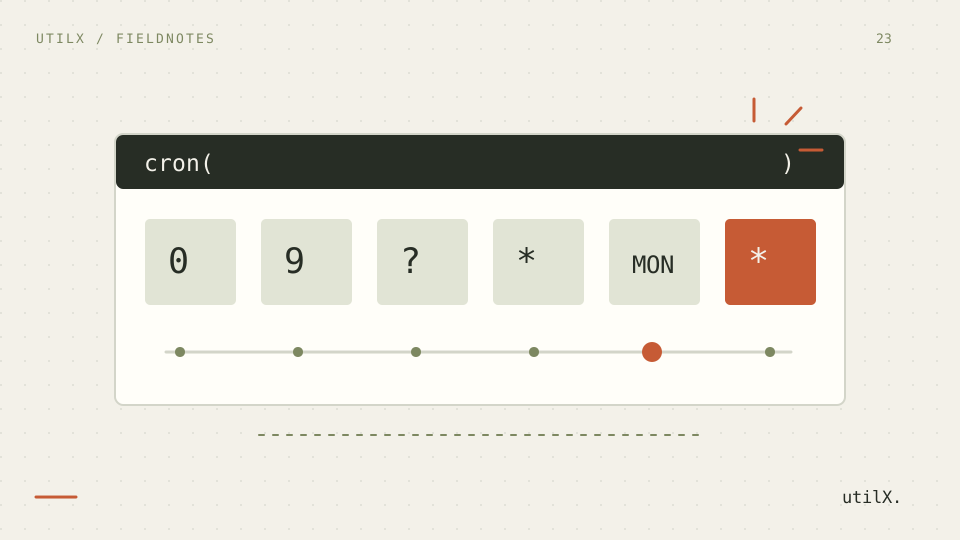
A useful review table has six columns: minute 0–59, hour 0–23, day of month 1–31, month 1–12 or JAN–DEC, day of week 1–7 or SUN–SAT, and year 1970–2199. Put ? in the unused day column. For a weekday migration, Unix 0 9 * * 1-5 becomes AWS cron(0 9 ? * MON-FRI *); the inserted ? is part of the meaning, not decorative syntax.
Verify a fixed last-Friday example
Use a fixed review case: cron(15 10 ? * 6L 2026-2027), EventBridge Scheduler, UTC, after 2026-09-18T00:00:00Z. The first three matches are 2026-09-25T10:15:00.000Z, 2026-10-30T10:15:00.000Z, and 2026-11-27T10:15:00.000Z. Here 6L means the last Friday in AWS numbering, while ? leaves day of month unspecified. The start instant is excluded. This example is easy to check against a calendar and does not depend on today.
Add two fixtures. cron(0/15 * * * ? *) after 10:00 UTC yields 10:15, 10:30, and 10:45; it is a calendar pattern, not a fifteen-minute timer measured from deployment. cron(0 8 1 * ? *) after 2026-07-01T08:00:00Z yields 1 August, 1 September, and 1 October at 08:00 UTC. Fixed expected dates make review failures obvious.
Review the schedule in a repeatable order
Choose the service first. Scheduler supports a named IANA zone; legacy scheduled rules use UTC. Enter the six fields in minute, hour, day-of-month, month, day-of-week, year order. Use ? in exactly one day field, calculate, and inspect several matches across month boundaries. Compare the local label, offset, and UTC instant. Copy the wrapped cron(...) expression only after the preview agrees with the written requirement. In AWS, separately configure the target, execution role, flexible window, retries, and dead-letter handling.
Test special days independently. With UTC after 2026-08-01T00:00:00Z, cron(0 9 1W * ? *) chooses Monday 3 August because 1 August is Saturday and the nearest Monday-to-Friday day must stay inside August. For cron(0 9 ? * TUE#2 *), the next dates are August 11, September 8, and October 13 in 2026. A # expression represents one weekday occurrence, so combining multiple # rules is rejected.
Understand the six fields and day operators
Unix cron commonly has five fields and combines day fields according to its own implementation. AWS has six required fields and ends with a year from 1970 through 2199. Month and weekday names are accepted. In day of month, L means the final calendar day and nW means the nearest Monday-to-Friday day. In day of week, bare L means Saturday, nL means the last named weekday, and n#k means its kth occurrence. The tool rejects ambiguous or undocumented combinations rather than guessing.
Read each field as a set of calendar values. A slash selects increments inside its field; it does not promise an elapsed interval. A wrapped hour range such as 20-2 covers late evening and early morning. Names improve reviews, but copied output normalizes tokens to uppercase. L in day of month means the final calendar day; 6L means the final Friday. LW, L offsets, and lists of special operators are outside this simulator’s documented subset.
Diagnose valid-looking but wrong expressions
The most damaging mistake is copying a five-field Unix expression into an AWS context and adding a field by intuition. Translate the requirement instead. Another is setting rules in both day fields: AWS requires one to be ?. Operator lists such as two separate # rules are invalid. A blank result does not always mean invalid syntax. The preview searches only five years, so cron(0 9 ? JAN MON 2199) can be valid yet show nothing from a 2026 start.
When results surprise you, reduce the expression. Replace the year with *, use UTC, and temporarily change the special day to a simple value. If matches appear, restore one restriction at a time. Check whether the reference instant itself was excluded, whether the selected year lies inside the next five years, and whether ? occupies exactly one day field. This separates a horizon issue from a field or zone mistake.
Treat zones, daylight saving, and precision separately
Scheduler evaluates named-zone wall time and follows that zone’s daylight-saving rules. If a requested local time is missing during the spring jump, Scheduler skips that occurrence. During the repeated autumn hour it invokes once. Legacy scheduled rules remain in UTC, so their wall-clock relationship to a city changes seasonally. AWS documents minute precision: a plan for 10:15 concerns that minute, not an exact millisecond. Flexible windows and delivery processing are separate configuration choices.
For a Madrid DST test, preview cron(30 2 * * ? *) with Scheduler. On 29 March 2026, 02:30 does not exist, so that day has no invocation. On 25 October 2026, 02:30 occurs twice by the clock, but Scheduler invokes once at the earlier occurrence. Run the same expression as a legacy rule and UTC contains neither gap nor fold; local Madrid display shifts with the offset.
Know what a local preview cannot prove
This page is a calendar simulator, not an AWS deployment test. It accepts at most 256 characters, returns up to ten matches, and stops after five years. It cannot verify IAM permissions, target payloads, quotas, retry policy, latency, availability, or whether application work is idempotent. The displayed instants are the schedule’s expected calendar matches. They are not proof that AWS accepted a resource or that a target received an event.
AWS states that scheduled targets have 60-second precision. A row labeled 10:15 is therefore the applicable minute rather than a latency guarantee. Scheduler can also use a flexible time window, and delivery may involve retries. This tool intentionally does not model those settings. If exact business processing matters, make the target idempotent and monitor actual invocation records instead of treating preview rows as execution logs.
Keep deployment evidence with the expression
Keep the expression, service, time zone, reference instant, and expected dates in the change review. Check a normal week, a month boundary, the selected special operator, and a daylight-saving boundary when a named zone applies. Confirm the year window. In the AWS console or infrastructure code, verify the same expression and zone, then test the target and observe delivery metrics. Link to the Unix cron guide when documenting a migration so reviewers can see why a direct field copy is unsafe.
Before enabling anything, ask a second reviewer to derive the first three dates without relying on the preview. Test a month whose first day is a weekend for W, a month with five candidate weekdays for # or L, and a DST boundary for named zones. Confirm that infrastructure code carries the chosen zone. After deployment, run a harmless target test, inspect metrics and failure destinations, and document rollback ownership.
Sources: AWS EventBridge Scheduler schedule types and AWS EventBridge scheduled rule patterns.