If you have worked with APIs, email, or web development, you have probably seen a value such as SGVsbG8gV29ybGQ=. It is not encrypted text. It is data represented with Base64.
Base64 solves a compatibility problem by converting a sequence of bytes into characters that can travel through systems designed around text. This guide explains the algorithm, the padding at the end, when Base64 is useful, and why it must never be mistaken for security.
What Base64 is
The standard Base64 alphabet contains 64 symbols: uppercase A to Z, lowercase a to z, digits 0 to 9, plus + and /. The equals sign = does not represent another value. It is padding used when the input length does not complete the final group.
Encoding is reversible and does not require a key. Anyone who receives the value can recover the original bytes. That makes Base64 excellent for transport and useless for hiding information.
How the algorithm works
The encoder takes three input bytes at a time. Three bytes contain 24 bits. It splits those 24 bits into four groups of six. Six bits can represent 64 different values, so every group maps to one character from the Base64 alphabet.
The word Hello, for example, becomes SGVsbG8=. The equals sign indicates padding in the final group. During decoding, the program removes the padding and reconstructs the original bytes.
Because three bytes become four text characters, encoded content is roughly 33 percent larger, before protocol headers or line wrapping. Base64 is not compression. An encoded image will be larger than its original binary file.
Text, bytes, and character encoding
Before encoding text, you need to know which bytes represent it. UTF-8 is the usual choice. A word such as café includes characters that do not necessarily occupy one byte, so treating all input as ASCII can produce different output or errors.
A correct converter first turns the text into UTF-8 bytes and then applies Base64. Decoding reverses those steps. If the source bytes represented an image or PDF, the decoded result should be saved as binary data rather than interpreted as text.
Base64 is not encryption or hashing
Encryption protects information with a key. A cryptographic hash creates a digest designed not to be reversed. Base64 only changes representation, and decoding it is as straightforward as encoding it.
Never store passwords, private keys, or secrets on the assumption that Base64 protects them. Do not publish a token simply because its contents look unreadable. In many JWTs, the header and payload can be decoded without knowing the signing key.
Base64 versus Base64URL
Some standard Base64 characters have special meaning in URLs. Base64URL replaces + with - and / with _; it also commonly omits = padding. This variant appears in JWT, WebAuthn, and values transported in a URL.
Do not mix the two variants without checking what the receiving system expects. Some libraries accept both automatically. Others require padding to be restored or a dedicated Base64URL function.
Common use cases
Email attachments can use MIME Base64 for transport. APIs use it when a text format such as JSON needs to carry a small amount of binary data. Data URIs can embed a small image in HTML or CSS. HTTP Basic Authentication encodes username:password, although it must only be used over HTTPS because the encoding itself provides no confidentiality.
In CSS, a resource can appear as url(data:image/png;base64,...). This removes a separate request, but it enlarges the document and prevents the browser from caching the resource independently. A normal file is usually better for medium or large images.
How to validate a conversion
Start with a known value: Hello should encode to SGVsbG8=. Then perform a round trip by encoding the input, decoding the result, and comparing the bytes rather than only the visible text.
If decoding fails, check spaces, line breaks, Base64URL differences, padding, and UTF-8 handling. Values copied from email or certificates may contain line breaks inserted by another program.
When to use the UtilX tool
The UtilX Base64 encoder is useful for inspecting an API payload, preparing a small snippet, or checking a value without sending its contents to a processing service. The conversion happens in the browser. Even so, avoid pasting live secrets into any page you have not verified, and remember that decoding data does not prove that it is safe or authentic.
Base64 is a small but essential part of web infrastructure: excellent for compatibility, unsuitable for compression, and completely inadequate as a security control.
Use Base64 when binary bytes must travel through a text-oriented field, such as a MIME part, a compact JSON payload, or a data URL. It is not a better file format and it is not a confidentiality layer. Prefer a normal binary upload or URL for large assets; choose Base64 only when the receiving protocol or API explicitly expects textual encoding.
A reproducible text example begins with UTF-8 bytes, not with a browser’s accidental character interpretation. The string café 日本語 must first be encoded as UTF-8, then Base64-encoded, then decoded back to bytes and UTF-8. Comparing the final string with the original catches a common error: APIs such as btoa() operate on byte-like strings and need an explicit UTF-8 conversion for non-Latin text.
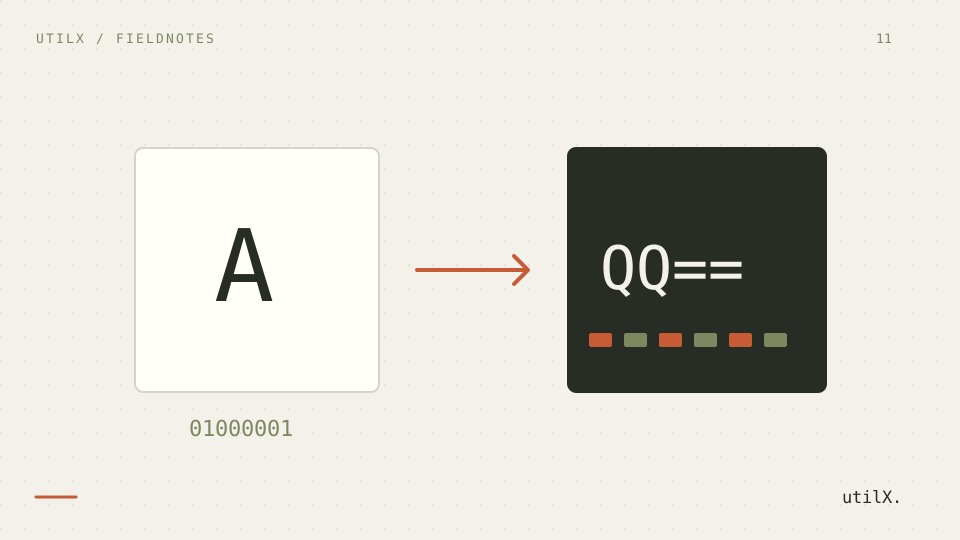
The standard procedure takes three input bytes, or 24 bits, splits them into four six-bit sextets, and maps each value to the RFC 4648 alphabet. One remaining byte needs two output symbols plus ==; two remaining bytes need three symbols plus =. Decode by reversing that mapping, dropping padding only according to the expected variant, and compare the reconstructed bytes rather than merely displaying text.
Standard Base64 uses + and /. Base64URL replaces them with - and _, and many protocols omit trailing = because URL components need no padding marker. A JWT commonly uses Base64URL for its header and payload, but this does not encrypt either part. Do not feed a Base64URL string to a strict standard decoder without restoring the expected alphabet and, where required, padding.
Base64 expands every three bytes to four characters, so the encoded payload is roughly one third larger before JSON escaping, line wrapping, or a data-URL prefix. That cost is tolerable for a small icon or protocol field; it is wasteful for a multi-megabyte image or PDF. MIME transport may insert line breaks, whereas a JSON API often requires one continuous string. Follow the receiving specification rather than copying a sample from another context.
Failures usually come from treating text as bytes. An accented character can be corrupted by a Latin-1 assumption; copied whitespace or MIME line breaks can make a strict decoder fail; absent = can be valid for Base64URL but invalid for standard Base64. A data URL also includes a media-type prefix before the comma, which is not encoded payload. Log the variant, character encoding, and length, then reduce the input to a known value such as Hello before debugging.
Base64 is reversible encoding, not encryption, hashing, or password storage. Anyone who receives an encoded password can decode it. Password databases require a dedicated password-hashing or key-derivation design such as Argon2id, scrypt, or bcrypt with unique salts and suitable parameters. Encrypt data only when it must later be recovered under an appropriate key-management design. RFC 4648 and MDN’s btoa() and atob() references describe representation APIs, not security controls.
For a round-trip check, record the input byte length, encode once, identify standard Base64 or Base64URL, and decode using the matching routine. Compare every output byte or UTF-8 character with the original, then test the receiving API with the exact payload shape it expects. Avoid loading very large files into a browser merely to encode them: the original bytes, string representation, and decoded copy can coexist in memory. Remove test secrets before sharing logs or examples.