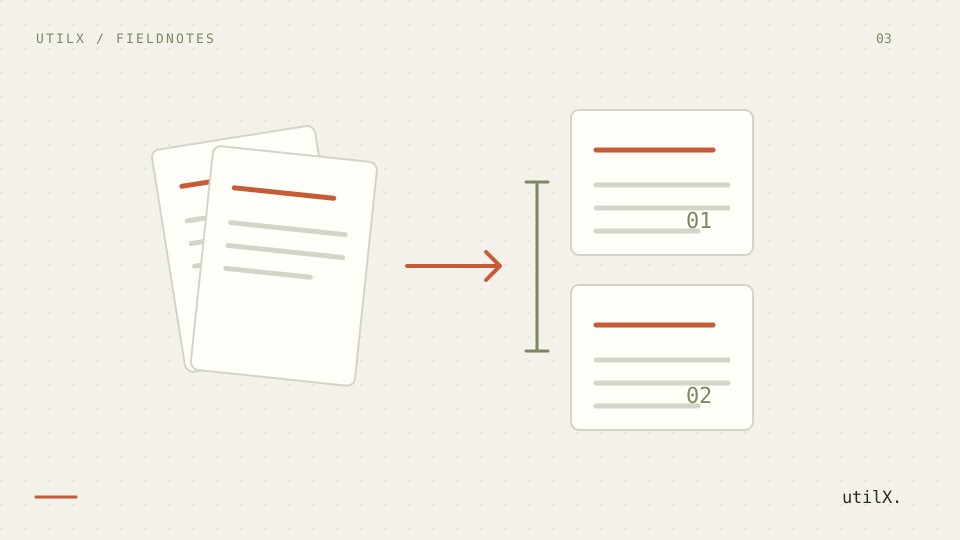
Merging or splitting a PDF looks like a simple sequence: choose files, arrange thumbnails, save. In practice it changes a container that can hold pages with different dimensions, links, forms, metadata, layers, attachments, and signatures. A careful private workflow starts by defining the output, testing with synthetic documents, and checking the exact delivered file. It does not promise that processing makes a sensitive document anonymous, safe, or suitable for every purpose.
The problem
PDF is not a long image or a collection of unrelated pages. ISO 32000 describes objects that can be shared across pages and documents, including catalogs, resources, destinations, annotations, form fields, and metadata. Consequently, two operations both called “extract” can have different results. Extracting page three may create a one-page file while leaving an internal link pointing to a destination that no longer exists. Merging may retain forms with duplicate field names, rename them, flatten them, or omit features the implementation does not support. A convincing preview is not evidence that needed structure survived.
Privacy needs equally precise language. Browser-side processing can mean that a file need not be sent to a server for that operation. It does not control extensions, prior copies, downloads, recipients, or a service where the result is uploaded later. Do not use a real high-risk document to test a workflow. Start with invented sample records and follow the approved procedure where personal data, secrets, evidence, or regulated information is involved.
Worked example
Consider two synthetic records. schedule-demo.pdf contains four pages: a portrait A4 cover, a portrait agenda, a landscape A4 table, and a portrait closing page. The agenda links to the table; the table contains a form field named status; test metadata says Sample project. appendix-demo.pdf contains two portrait pages and another field named status. No name, address, signature, or business record in this example comes from a real document.
Create package-demo.pdf in this order: cover, landscape table, first appendix page, agenda. Then extract only the table as table-demo.pdf. Before editing, write down six input pages, four expected package pages, and one extraction page. Record expected orientation, links that must work, field names, metadata to retain or remove, signature status, and byte size. That is a testable specification rather than a visual impression.
Procedure
Keep originals unchanged and work from clearly named copies. Inspect every input in a viewer and record page count, dimensions or orientation, bookmarks, links, forms, attachments, and signature warnings. If a viewer does not expose a feature, record “not checked by this viewer,” not “absent.” PDF.js is useful for web viewing; a library such as pdf-lib documents creation and copying operations. Neither interface replaces a review appropriate to the requirement.
Arrange pages by visible page number and content, not only by the original thumbnail position. Export a first output, open it as a new file, count pages, and check the cover, table, and appendix. Confirm that the landscape page was not rotated. Activate each important link and check its new destination. Inspect and, where necessary, edit form fields: same-named fields from different inputs can merge, disappear, or conflict. If a field matters, test a fictional value and save another test copy.
For extraction, select the page by number and content, export a separate file, and count again. Check orientation, crop, visual resources, and links. Compare output size with input and with an expected export, but interpret it carefully: a smaller file does not prove that it is clean, and a larger file can result from fonts, compression, or duplicated objects. Keep a short record of inputs, requested order, tool version, output, date, and each check.
Technical explanation
Pages can inherit resources through a page tree. When copied, an implementation may duplicate resources or rebuild references; output size therefore is not proportional to page count. Byte-for-byte comparison is usually not a useful proof because visually equivalent PDFs can have different object order and compression. Compare the properties needed for the intended use, and retain a hash only when a trusted reference exists for that exact file.
Links may be page actions, named destinations, URLs, or unwanted actions. After reordering, test navigation that matters and do not assume every destination is rewritten. Forms use a hierarchy of fields; two fields named status are not necessarily the same business datum. Renaming, flattening, or removing forms is a content decision, not harmless ordering. Confirm displayed values, editability, and behavior after reopening.
Metadata can include title, author, subject, keywords, XMP dates, and application-created values. Whether to retain it depends on the recipient. Removing metadata does not remove page text, names printed on pages, links, attachments, or later-service traces. Digital signatures need a separate check: changing pages normally invalidates an existing signature. A result showing a broken signature is not signed; check status, certificate, and scope under the responsible procedure.
Common failures
A common failure is counting only thumbnails. A view may hide pages, the order may be interpreted differently, or an export may be partial. Another is replacing every check with “it opens.” A PDF can open while losing fields, destinations, tags, or a valid signature. Test each property that is an actual requirement. If it is unclear whether a property matters, ask before transforming the original.
Do not assume a merge preserves forms and signatures. A signed document protects a particular revision, so any page change can show a warning. Do not conceal that warning or present the result as signed. Retain the signed original and create a clearly labelled derivative only when the process permits it. For forms, test name collisions and behavior with fictional data before using a work template.
Treating local processing as absolute confidentiality is another mistake. The browser may load page resources, and the device retains history, cache, or downloaded files according to its settings. Local processing reduces one possible transfer; it does not replace device controls, classification, access permissions, or an appropriate delivery channel.
Considerations
Choose software after defining fidelity. For a visual page selection, appearance and order may be enough. For records with links, bookmarks, accessibility, forms, or signatures, make a requirements matrix and test representative samples. PDF Association resources explain the standard; a library’s documentation explains what it can create or copy, not that it covers every PDF profile. A new tool version can change results, so record versions and repeat critical samples.
Separate technical testing from document review. The first asks whether the export has four pages, a landscape table, and useful links. The second asks whether those pages are authorized, whether their order communicates the intended meaning, and whether removing data is appropriate. Automation can count and compare dimensions, but cannot decide permission, retention, or legal consequences. Follow organizational rules and obtain competent advice for medical, employment, contractual, judicial, or security documents.
Limitations
This guide does not certify compatibility with every producer, reader, PDF profile, signature, or assistive technology. It does not guarantee that a library retains every object or that a viewer exposes every risk. It cannot prove authenticity, confidentiality, legal validity, or absence of malware. Results depend on inputs, software version, configuration, and destination.
The checks for page count, orientation, links, forms, metadata, signatures, and size reduce observable errors in one output. They do not replace original custody or the recipient’s process. When a result is unexpected, stop distribution, preserve the sample, and return to the original copy or an approved tool.
Checklist
Use copies and synthetic documents for testing. Record page count, order, orientation, links, forms, metadata, signatures, and size before changing anything. Define an output and expected count. Merge or extract, open the new file, and verify the new file rather than the input. Activate important links, test forms with invented values, and treat a changed signature as invalid until the responsible process says otherwise. Decide metadata deliberately, retain originals, and share only the verified derivative through an appropriate channel.