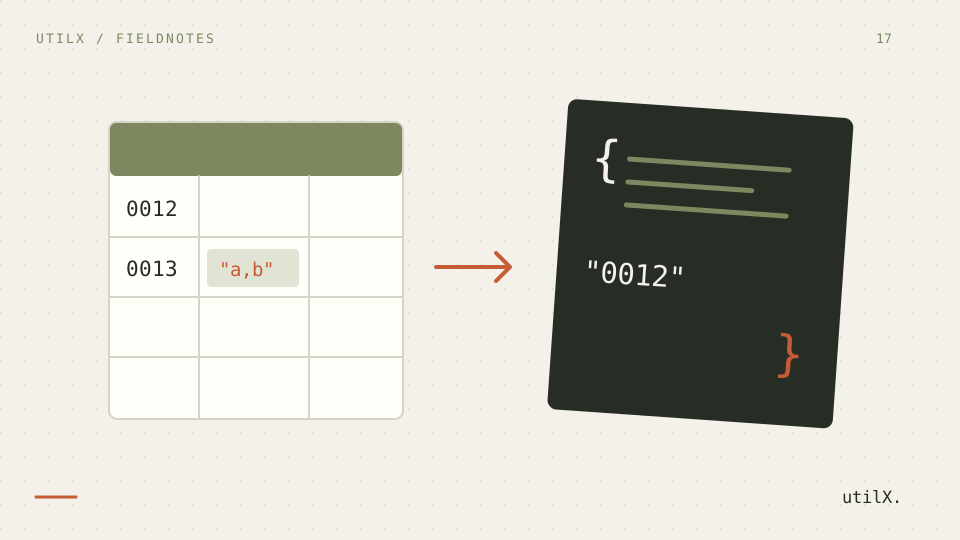
Moving CSV into JSON looks simple until a customer ID loses its leading zeros, a quoted line break becomes a new record, or a long integer is rounded. CSV fields are text unless a particular application assigns them another meaning. A careful importer must parse the CSV structure first and apply type inference only under explicit, conservative rules.
This guide converts a fixed two-row file with the CSV to JSON tool. It tests commas inside quoted fields, a multiline value, an empty field, a leading-zero identifier, a number beyond JavaScript’s safe integer range, booleans, and an ordinary decimal. The same fixture can be reused when checking another importer.
Separate parsing from guessing types
CSV parsing answers structural questions: where a record ends, where a field ends, and how quotes escape delimiters or line breaks. Type inference answers a different question: whether a field’s text should become a JSON boolean or number. Combining both invisibly makes failures difficult to diagnose.
The tool therefore preserves strings by default. 0012 remains "0012", true remains "true", and a blank field remains "". Optional inference converts exact booleans and safe numeric forms, but keeps identifiers with leading zeros, dates, and integers outside JavaScript’s safe range as strings. It never guesses dates. This conservative behavior is part of the contract, not a limitation to work around casually.
A CSV fixture that exposes common mistakes
Create a UTF-8 file with this exact content:
id,name,note,amount,enabled
0012,"Doe, Ana","Line one
Line two",9007199254740993,true
0013,Bela,,12.5,false
With comma as delimiter and inference disabled, every JSON property is a string. The first note contains an actual newline; it is one field because the CSV quotes remain open across the physical line. The second note is "". Both amounts and both enabled values are strings.
With inference enabled, id still stays a string because 0012 and 0013 have leading zeros. 9007199254740993 stays a string because converting it to a JavaScript number could lose precision. 12.5 becomes a number, and true and false become booleans. The blank note remains an empty string. No date conversion occurs.
Import in a verifiable sequence
Open the localized tool, choose comma, and paste the fixture. If a file starts with a UTF-8 BOM, the importer accepts it without turning the marker into part of the first header. Convert once with inference off. Check that there are exactly two objects and that each has the five header names. Copy or download the JSON and parse it with a second JSON parser if it will enter an automated workflow.
Now enable type inference and convert again. Compare only the expected changes: enabled becomes boolean and the second amount becomes number. Confirm that both identifiers and the large first amount remain quoted. This side-by-side test reveals whether the receiver actually wants values or original field text.
The on-page preview displays at most 100 rows, while the downloadable JSON includes every parsed row up to 10,000. For a larger valid file, verify the download’s array length instead of treating the preview as the output. If you later need a spreadsheet export, use the JSON to CSV guide and state which transformations are reversible.
How quotes, rows, and headers are interpreted
RFC 4180 documents the established CSV convention: each record has fields; fields may be quoted; a quote inside a quoted field is doubled; and quoted fields may contain commas and CRLF line breaks. Real files vary, so the selected delimiter must match the source. A tab-separated file parsed as comma-separated data may appear to have one giant header rather than producing a useful error.
The first record supplies property names. Headers must be non-empty and unique. Duplicate names cannot map unambiguously to one JSON object, and a blank name creates an undocumented property, so the converter rejects both at row 1. Every later record must have the same number of cells as the header. If a row has an extra or missing cell, the error identifies the affected row instead of shifting data into the wrong properties.
RFC 8259 permits JSON numbers but warns that software commonly interoperates best around the IEEE 754 binary64 range. JavaScript exposes Number.isSafeInteger to identify integers that can be represented and compared exactly. Keeping an unsafe integer as text protects digits such as 9007199254740993; a downstream schema can later choose BigInt, decimal, or a database-specific numeric type.
Correct malformed input without hiding it
A duplicate-header or empty-header error should be fixed in the source schema. Rename duplicate columns with meaningful, stable names; do not merely append random numbers if consumers rely on the keys. A column-count error often comes from an unquoted delimiter, an unmatched quote, or a line break that was meant to remain inside a field. The reported row is a one-based logical CSV record, including the header as record one. It is not a physical line number: quoted fields may span several lines. Inspect that record and any preceding field with unmatched quotes.
An invalid-CSV error means the parser could not establish valid records. Correct the quoting rather than deleting punctuation. A quote inside a quoted value must be doubled. A field that contains a comma or newline must be enclosed in quotes. If the file uses semicolon or tab, select that delimiter before changing content.
Inputs over 2 MiB UTF-8 or 10,000 data rows are rejected. The converter does not return a partial JSON array that could be mistaken for a complete import. Split large files outside quoted records, retain the same header in each part, and reconcile counts after conversion.
Preserve identifiers and business meaning
Decide types from a data contract rather than visual resemblance. Postal codes, account codes, invoice numbers, and telephone-like values often contain only digits but are identifiers. Leading zeros are one signal, not the full definition. Even 1234 may need to remain a string. Leave inference disabled when exact text matters, then validate properties against the destination schema.
Empty text is also not automatically null. The tool emits "" because CSV provides an empty field, not evidence about why it is empty. If the source system defines a sentinel such as NULL, handle it in a documented downstream step. Likewise, 2026-09-17 remains text; choosing a time zone or calendar type requires information that the field does not contain.
Conversion happens locally in the browser, but downloaded JSON is still a new copy of the dataset. Review its storage, access, and deletion rules. Use synthetic fixtures during testing. For syntax problems in a resulting JSON file, the JSON error guide explains how to isolate structural errors.
Limits of automatic inference
The importer recognizes the selected delimiter and CSV quoting; it does not discover a schema, units, locale-specific decimals, date formats, null conventions, or relationships between files. Optional inference is intentionally narrow. It does not turn dates into Date objects, unsafe integers into rounded numbers, or leading-zero strings into numbers.
A valid JSON array can still be semantically wrong for its destination. The tool does not validate required properties, ranges, cross-field rules, or uniqueness. The preview stops at 100 rows, while the complete download can contain up to 10,000. The input ceiling is 2 MiB in UTF-8. Use a schema validator or import staging table when mistakes could affect production data.
Final import checklist
Confirm UTF-8, delimiter, header names, and an exact source row count. Check that headers are unique and every record has the same field count. Convert once with inference off. Inspect leading zeros, blank fields, quoted commas, doubled quotes, and multiline text. Enable inference only when the destination wants booleans and safe numbers.
For the fixture, require two objects; preserve 0012, 0013, and 9007199254740993 as strings; keep the newline in the first note and "" in the second; convert only 12.5, true, and false when inference is enabled. Download and parse the complete JSON, compare its length with the source, then validate it against the receiving system’s schema.
Sources: RFC 4180: Common Format and MIME Type for CSV Files, RFC 8259: The JavaScript Object Notation (JSON) Data Interchange Format, and ECMAScript Number.isSafeInteger.