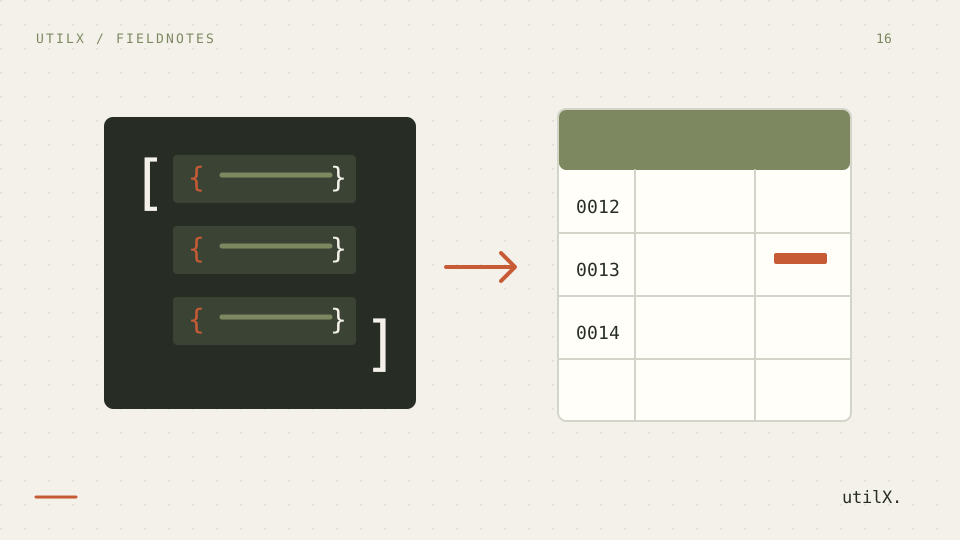
JSON and CSV describe tabular data from different angles. JSON can distinguish strings, booleans, numbers, null, missing properties, arrays, and nested objects. CSV is a sequence of records and fields; it has no standard type system and no native nested value. A useful conversion therefore starts by deciding which information belongs in columns, which information must be serialized, and which distinctions cannot survive the trip.
This guide exports a small, synthetic customer list with the JSON to CSV tool. The example deliberately includes leading-zero identifiers, a missing property, null, nested data, and values that a spreadsheet might interpret as formulas. It also shows what to verify before sending the downloaded file to another system.
Define the table before downloading it
The tool expects a JSON array whose elements are objects. It builds a stable union of property names: columns first appear in the order encountered while scanning the records. A property absent from the first object can still become a later column. This is convenient for API exports, but it means a quick glance at one record is not enough to predict the whole header.
CSV does not preserve every JSON distinction. An absent property and an explicit null both become an empty cell. A nested object or array is encoded as JSON text inside one cell instead of being flattened. That avoids ambiguous paths such as address.city, but a spreadsheet sees the result as text. These are deliberate, documented transformations rather than evidence that CSV and JSON are interchangeable.
A fixed JSON example with awkward values
Use this exact input in all checks:
[
  {
    "id": "0012",
    "name": "Ana",
    "note": "=SUM(A1:A2)",
    "profile": { "tier": "pro" },
    "tags": ["docs", "qa"],
    "active": true,
    "score": null
  },
  {
    "id": "0013",
    "name": "Bela",
    "note": "+441234",
    "tags": [],
    "active": false
  }
]
With comma as delimiter, no BOM, and formula protection enabled, the header is id,name,note,profile,tags,active,score. Both identifiers remain text. The profile and tags values become JSON strings inside their cells. The second row has an empty profile cell because the property is missing; both score cells are empty because one is null and the other is missing. Formula-like notes receive a leading apostrophe in the exported cell, and the tool reports that it changed those values intentionally.
Convert, inspect, and reimport
Paste the fixture into the localized tool and leave formula protection on. Choose comma for systems that explicitly request comma-separated data. Choose semicolon when the receiving workflow expects it, often because a regional spreadsheet setup uses comma as a decimal mark. Choose tab only when the consumer accepts tab-separated fields. A delimiter is a contract with the importer; changing it does not merely alter appearance.
Convert the data and inspect the preview. It shows at most 100 records so the page remains manageable, but the downloaded CSV contains every valid record, up to the 10,000-record limit. Download the file and open it first in a plain-text editor. Confirm the header order, doubled quotes inside serialized JSON, and the apostrophe before both formula-like notes. Then import it into the destination spreadsheet by explicitly selecting UTF-8 and the same delimiter.
If the spreadsheet needs a UTF-8 byte-order mark to recognize accents, enable BOM and export again. The BOM is compatibility metadata at the start of the file, not a column or visible character. Finally, reimport the CSV through the CSV to JSON guide workflow. Compare identifiers, booleans, serialized cells, and blanks with the conversion policy rather than expecting the original JSON structure to return automatically.
Why the output looks this way
RFC 8259 defines JSON values and object member names, while RFC 4180 documents the common CSV convention of records, fields, commas, CRLF line endings, and doubled quotes inside quoted fields. Neither specification defines a universal mapping between the two. The converter therefore exposes its choices: stable union columns, JSON serialization for nested values, and empty cells for both missing and null.
Formula protection addresses a different layer. Spreadsheet applications may treat a cell beginning with =, +, -, or @ as an expression. When protection is enabled, the export prefixes such a value with an apostrophe and warns about the modification. This does not sanitize every possible spreadsheet behavior or make arbitrary files safe. It prevents the tool from silently presenting formula-looking user text as an ordinary unmodified cell. Disable it only when the receiving system requires exact text and you have controlled that data separately.
CSV quoting is structural. A field containing the delimiter, a quote, or a line break must be quoted, and an internal quote is represented twice. Do not remove those quotes just because a text editor shows many of them around {"tier":"pro"}. They are what allows a conforming parser to recover the complete cell.
Diagnose conversion failures
An “array of objects” error means the top-level value is not an array or at least one array item is a primitive or null. Wrap a single object only if it truly represents one table row. For mixed arrays, normalize records upstream instead of inventing placeholder columns during export.
An input larger than 2 MiB in UTF-8 or containing more than 10,000 records is rejected rather than truncated. Split it along a meaningful boundary and keep a batch identifier outside the data if the receiver must recombine files. The 100-row preview is not a truncation warning; check the download count separately.
If a nested cell seems corrupted, inspect it as CSV and then parse the cell text as JSON. A spreadsheet may display doubled quotes because it is showing raw CSV, or remove leading zeros because it guessed a numeric format after import. Importing with the column set to text is often necessary. If formulas appear instead of text, verify that protection was enabled and that the exported value starts with an apostrophe.
Make the handoff reproducible
Record the delimiter, BOM choice, formula-protection setting, header list, record count, and the meaning of blanks beside the export. A recipient cannot infer whether an empty cell meant null, missing, or an empty string. If that distinction matters, add an explicit status column before conversion or choose a format with a data model that preserves it.
Treat nested JSON cells as a documented escape hatch, not as a spreadsheet-friendly schema. They work well when a downstream program will parse those fields. For manual editing, separate columns or a related table may be clearer. Do not flatten automatically unless the naming and collision rules are agreed in advance.
The conversion runs in the browser, so the tool does not need to upload the pasted dataset to perform this operation. The downloaded file still enters the browser and operating system’s normal storage flow. Use synthetic data for tests and follow the same retention and access rules as any other export. The guide to private developer tools gives a broader checklist.
Know what this conversion does not promise
CSV has no universal schema, type declaration, null marker, nested-object syntax, or formula-safety standard. A successful download does not prove that Excel, LibreOffice, a database loader, and a custom parser will interpret every field identically. The tool does not evaluate formulas, infer locale-specific numbers, flatten nested values, or preserve the difference between missing properties and null.
Formula escaping changes the cell text deliberately. Nested values remain JSON strings and require a second parse. The preview stops at 100 rows while export uses all rows. The full input limit is 2 MiB UTF-8 and 10,000 records. For larger or regulated pipelines, use a schema-aware process with explicit validation, audit logs, and destination-specific tests.
Final export checklist
Confirm that the input is an array of objects and stays within 2 MiB and 10,000 records. Review the union header, especially properties that appear only in later rows. Decide whether comma, semicolon, or tab matches the importer. Enable BOM only for a receiver that benefits from it. Keep formula protection enabled unless exact unescaped text is an explicit requirement.
Inspect a downloaded file outside the preview. Count all rows, check 0012, verify serialized profile and tags, and confirm the apostrophes on =SUM(A1:A2) and +441234. Document that missing and null both became blank. Reimport using the same delimiter and UTF-8, then compare the result with the stated policy before distributing it.
Sources: RFC 8259: The JavaScript Object Notation (JSON) Data Interchange Format, RFC 4180: Common Format and MIME Type for CSV Files, and OWASP CSV Injection.